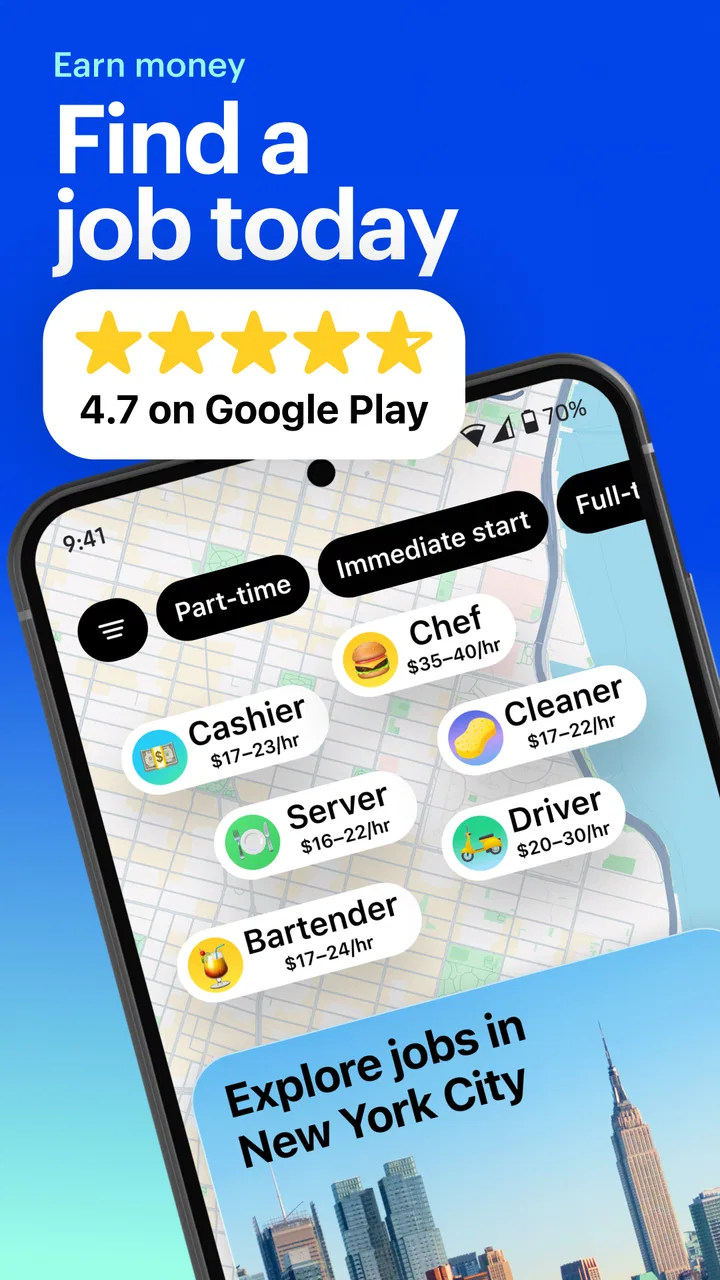
JOB TODAY: Hire & Find Jobs
- 4.6
- Rating
- 10.00M
- Installs
- Free
- Price

 Analysis by App-foxy
I tried JOB TODAY: Hire & Find Jobs as a practical job-search tool rather than treating it like a simple noticeboard. Its main appeal is speed: it is built for people who want to find current openings and contact employers without turning every application into a long, formal process. That makes it especially interesting for local work, shift-based roles, hospitality, retail, customer service, delivery, and other positions where availability can matter as much as a polished résumé.
The app belongs to the Business category and is developed by JOB TODAY S.A. It is free to install, carries a Teen content rating, and supports Android 8.0 or later. The current release is version 2.113.0. Its popularity is easy to understand: it has passed 10 million installs and holds a 4.6 average from roughly 215 thousand ratings, with about 2 thousand written reviews. Those figures suggest a mature service with a large audience, although popularity alone does not guarantee that every search will produce useful results in every location.
How I would use JOB TODAY from the first search to the first application
I’d make the first search a small experiment: choose one realistic role and travel area, then note which listings actually fit your hours and experience. That gives me a useful baseline before I change anything, and helps separate a weak search setup from a shortage of suitable local openings. Once that pattern is clear, I’d move on to the settings that can make checking results feel more manageable.
You May Also Like

 Blood Strike: 2.5 Anniversary
Blood Strike’s Loadouts Turn Every Drop Into a Tactical Gamble
A close look at Blood Strike’s custom loadouts: how fast access to signature weapons reshapes its battle royale rhythm, rewards preparation, and narrows the gap between fights.

 Pandora - Music & Podcasts
Pandora’s Music Is Easy to Start, but Harder to Recover
Pandora’s strength is its low-effort path from a seed to a station. Its weak spot is how much confidence it asks you to place in connection, setup, and quiet recovery.

 8 Ball Pool
8 Ball Pool Is Built on Rivalries, Rematches, and Routine
A close look at the rivalries, rematches, shared routines, and unanswered safety questions that turn a quick pool match into a persistent mobile community.

 Samsung Music
Samsung Music’s Quiet Strength Is Playing What You Already Own
Its reach comes less from spectacle than from dependable access to a personal library. That simplicity is both the app’s strongest retention engine and its ceiling.

 AccuWeather: Weather Radar
AccuWeather Review: A Quick, Clear Forecast for Everyday Decisions
For everyday plans, the best forecast is the one you can understand quickly. AccuWeather makes rain timing, radar, and local conditions easy to act on, with a few trade-offs.

 Hill Climb Racing
Why Hill Climb Racing Still Turns Crashes Into One More Run
A tiny car, a bumpy hill and one more upgrade: Hill Climb Racing keeps resurfacing because its simple chaos makes every near-miss feel personal.
More From Our News Desk
View All News


Start with a narrow, realistic search
The best way to begin is not by browsing everything. I would first decide what kind of work I can genuinely accept, how far I am willing to travel, and whether I need full-time, part-time, temporary, or shift-based work. A search becomes much more useful when those decisions are made before opening individual listings. Otherwise, it is easy to spend time reading attractive posts that do not fit your schedule or commute.
For someone looking for immediate work, the app’s focus is valuable because it puts active hiring closer to the center of the experience than a traditional career platform does. I would expect the strongest results when I use clear job terms and check listings regularly instead of relying on one large search session. Employers hiring quickly may not keep the same opening visible for long, so a repeatable routine matters more here than an occasional deep dive.
My basic workflow would be simple. I would search for one role, review the location and working pattern, open only the listings that fit, and then apply or contact the employer while the opportunity is still relevant. After that, I would repeat the process with a second related role rather than weakening the first search with a long list of unrelated keywords.
Read the listing as a decision document
I would not judge an opening by its title alone. The useful information is usually in the combination of duties, schedule, location, experience expectations, and the way the employer describes the hiring process. A short listing can still be suitable, but a vague one deserves extra caution. Before responding, I would check whether the role matches my actual availability and whether the employer has explained enough for me to understand what the first conversation will involve.
This is one area where the app is more convenient than walking into businesses with a résumé, but it does not remove the need for judgment. A quick application is not the same as a guaranteed interview. I would keep a small note of the jobs I contacted, the date of contact, and any promised follow-up. That prevents duplicate messages and makes it easier to recognize when a conversation has gone quiet.
Prepare a profile that works for fast decisions
People searching for immediate employment often make one mistake: they write a profile that tries to cover every possible job. I found it more useful to present a clear work identity. If I am applying for restaurant service, I would emphasize customer contact, busy periods, reliability, and availability. If I am looking for warehouse work, I would bring different experience to the front. The same person can be suitable for several roles, but the first impression should not force an employer to guess where the fit is.
Before applying repeatedly, I would check spelling, contact details, availability, and the consistency between the profile and each application. A profile that says I can work evenings will create friction if I then respond to a daytime-only opening. Small contradictions are especially costly in a fast hiring environment because employers may move to the next candidate rather than ask for clarification.
The most effective habit is to treat every application as a short, accurate introduction rather than a mass submission. That keeps the speed advantage while protecting the quality of the search.
A realistic everyday scenario
Imagine I need extra work after my regular schedule changes. On a weekday morning, I would search for nearby hospitality and retail roles, remove anything that conflicts with my available hours, and read the remaining listings carefully. I would respond to the strongest matches, then check the app again later rather than assuming the morning results are complete. In the evening, I would review messages, record which employers replied, and adjust the next search if the results were too broad.
This approach is more productive than scrolling whenever I remember. It also helps answer a question many new users have: do I need to be available all day to benefit from the app? In my view, no. A short routine works, provided it is consistent and your profile clearly shows when you can work.
What I would check in the app’s settings
Settings deserve attention because small choices can determine whether the service feels helpful or noisy. I would first review notification controls and decide which alerts are genuinely useful. If every update interrupts the day, I am more likely to ignore the important message from an employer. If alerts are too restricted, I may miss a time-sensitive opportunity. The right balance depends on how urgently I am looking and how quickly I can respond.
I would also review location-related choices and make sure the search area reflects my real travel limit. A wide area can create the impression that there are many opportunities, but the list becomes less valuable if the commute is unrealistic. For someone without a car or with limited public transport, distance should be treated as a hard filter in practice, even if the app makes it easy to browse beyond that boundary.
Account and profile details are worth checking whenever circumstances change. A new phone number, different availability, or updated work preference can make older applications misleading. I would not assume that changing a profile automatically changes conversations already underway, so I would mention important changes directly when replying to an employer.
Notifications are useful only when they support a routine
I would use notifications as prompts, not as a replacement for searching. An alert can tell me that something deserves attention, but I still need to verify the role, schedule, and location before responding. This is particularly important when I am applying to several similar positions. Opening every alert immediately can encourage rushed decisions, while ignoring all alerts defeats one of the app’s main advantages.
My preferred pattern would be to allow relevant job and message notifications, then set a couple of deliberate moments during the day to review them. If I am actively seeking urgent work, I would check more often. If I am exploring options while employed, I would keep the process quieter and respond when I can give each conversation proper attention.
Faster patterns for experienced users
Once the basic workflow is comfortable, speed comes from preparation rather than frantic tapping. I would create a small set of reusable information in my notes: a concise introduction, my normal availability, transport limits, relevant experience, and a few questions I commonly need to ask. I would still personalize each response, but I would not rewrite the same facts from scratch every time.
Another useful pattern is to separate searches by intention. One search can focus on the role I want most, another on nearby alternatives, and a third on flexible work. Mixing all three into one stream makes it harder to compare opportunities. Separating them also reveals whether a lack of results is caused by the job type, the location, or the schedule.
I would also use a simple three-stage decision process: suitable, possible, and reject. “Suitable” means the role matches my essential requirements. “Possible” means I need one answer before deciding. “Reject” means the commute, hours, or duties do not work. This prevents attractive but unsuitable listings from consuming the same attention as realistic opportunities.
Use conversations to qualify the opportunity
When an employer responds, the next step should not be an automatic yes. I would confirm the work location, expected schedule, main duties, and what happens next. These questions are not signs of hesitation; they save time for both sides. If the listing is brief, the conversation is where I would clarify the details that determine whether the job is actually workable.
I would keep messages short and direct. A useful reply can state who I am, why the role fits, when I am available, and one practical question. Long explanations are harder to scan, while a message with no context can look careless. The app makes quick contact possible, but the quality of that contact still depends on the user.
For employers who do not reply, I would avoid sending repeated messages in a short period. One clear follow-up can be reasonable when the listing still appears active, but after that I would move on and continue searching. The app can improve access to employers; it cannot make every employer responsive.
Where it beats traditional job boards
Compared with a conventional job board, this app feels better suited to a quick, local search where the goal is to start a conversation rather than build a long application package. Traditional platforms are often stronger for corporate careers, detailed résumé histories, professional networking, and roles with multi-stage recruitment. I would choose those alternatives when I need to present a long career record or target a specialized profession.
Compared with asking friends, visiting businesses, or checking paper notices, JOB TODAY offers a more organized way to discover openings and keep the search moving. Its advantage is convenience and immediacy, not guaranteed quality. A personal referral may still be better when trust, specialist knowledge, or a strong recommendation matters more than speed.
The app also differs from a résumé-focused network because it does not need to be the center of your professional identity. I would use it as a targeted job-search channel. That makes it practical for someone who wants work now, but less compelling for someone mainly interested in long-term networking, public professional achievements, or building a detailed industry profile.
Important limits and trade-offs
The first limitation is that usefulness depends heavily on location and the kinds of employers active in that area. A large user base does not mean every city has the same depth of listings. If searches repeatedly return unsuitable roles, I would not assume the problem is my profile. It may simply be that the local supply is thin or that my requirements are unusually narrow.
The second limitation is competition. Fast-moving openings can attract many applicants, so a complete profile and prompt response may help, but neither creates a guarantee. I would avoid treating the app as a queue where submitting more applications automatically improves the result. Ten careless applications can be less useful than a few well-matched responses.
The third issue is that speed can hide missing context. A listing that looks appealing at first may not explain every condition I care about. I would be especially careful with roles involving irregular hours, travel, physical demands, or responsibilities that are described broadly. Asking direct questions before committing is essential.
The app is free to download, but it includes in-app purchases ranging from $0.99 to $799.99 per item. I would not assume that paying is necessary for ordinary searching. Before buying anything, I would identify exactly what it changes and whether that change solves a real problem in my current workflow. A free search routine may be enough for many candidates, while someone seeking extra visibility may consider an optional purchase only after understanding its value.
Who should use it, and who should skip it?
I would recommend it to people who want nearby work, need a relatively direct route to employers, or are comfortable checking listings and replying promptly. It can be a good fit for candidates with flexible availability, limited formal experience, or an interest in roles where practical readiness matters. It is also useful for someone who wants a second channel alongside a résumé, local contacts, and other job sites.
I would be more cautious if I were searching for senior professional positions, highly specialized technical roles, academic work, or a job where a detailed portfolio is central to the hiring decision. In those cases, a professional network, specialist board, recruiter, or direct company application may provide better context. I would also skip making it my only resource if my location has few relevant listings or if I need a highly predictable recruitment process.
Privacy and personal safety should remain part of the decision. I would avoid sending sensitive documents or financial information before I understand who the employer is and why the information is needed. I would arrange interviews through sensible channels and treat pressure, unclear duties, or requests that feel unrelated to the job as reasons to pause. A convenient contact tool should not replace ordinary caution.
My method for getting more value over time
After a week of use, I would review which searches produced realistic openings and which created noise. I would then remove weak keywords, refine the location, and adjust my profile to match the work I am actually pursuing. This is more effective than changing everything at once because I can see which adjustment improved the results.
I would also measure progress by meaningful conversations, not by the number of listings opened. If I receive views but no replies, I would improve the opening lines of my profile or check whether my availability is clear. If I receive replies for unsuitable roles, I would narrow the search and make my requirements more visible. This turns the app into a repeatable process instead of a passive feed.
One advanced trade-off is flexibility. Broad availability can produce more opportunities, but claiming availability I cannot maintain will damage trust quickly. I would state my real limits and use the app to find employers who can work with them. Honest constraints may reduce the number of matches while improving the quality of the conversations that remain.
My verdict after using the full workflow
JOB TODAY: Hire & Find Jobs is at its best when I use it with a clear target, a prepared profile, sensible notification settings, and a habit of checking new opportunities regularly. It makes the first step toward an employer feel less formal and less time-consuming than many traditional job platforms. The free entry point and broad reach make it easy to try, and the strong average rating and large install base show that many people find the approach useful.
Still, I would not describe it as a complete replacement for every job-search method. It cannot solve a shortage of local openings, guarantee replies, or provide all the professional context needed for specialized careers. Its optional purchases also deserve careful consideration rather than automatic acceptance. The right expectation is that it helps me discover and pursue opportunities faster, while I remain responsible for checking details and choosing safe, suitable work.
For a friend looking for immediate or flexible employment, I would suggest trying it alongside one traditional job board and a few local contacts. I would start free, keep the profile focused, check the settings, and follow a short daily routine. If that workflow produces relevant conversations, the app earns a permanent place in the search. If it only creates noise or lacks suitable local roles, another channel will probably be the better investment of time.
FAQs for JOB TODAY: Hire & Find Jobs
01What is JOB TODAY and how does it work?
JOB TODAY is a mobile app designed to streamline the job search and hiring process. It connects job seekers with employers quickly by allowing users to create profiles, browse job listings, and apply directly through the app. Employers can also post jobs and manage applications efficiently. The app focuses on immediate hiring, making it ideal for temporary or urgent positions.
02Is JOB TODAY free to use for job seekers?
Yes, JOB TODAY is free for job seekers. Users can create a profile, browse available job listings, and apply for jobs without any charges. However, there might be premium features or services available for a fee, which can enhance the visibility of your profile or provide additional tools to aid your job search.
03What types of jobs are available on JOB TODAY?
JOB TODAY primarily focuses on jobs in sectors like hospitality, retail, services, and customer support, where immediate hiring is often needed. It's particularly popular for part-time, full-time, and temporary positions. The app is designed to facilitate quick connections between employers and job seekers in these rapidly moving industries.
04How can employers benefit from using JOB TODAY?
Employers can benefit from JOB TODAY by accessing a large pool of potential candidates quickly and efficiently. The app allows for easy job posting and provides tools to manage applications and communicate with applicants directly. It is particularly useful for filling positions that need immediate attention, helping reduce the time typically spent on hiring processes.
05Is JOB TODAY available in multiple languages and regions?
JOB TODAY is available in multiple languages and is used in various regions, primarily focusing on European markets. The app supports multiple languages to cater to its diverse user base. However, it's essential to check the specific availability in your region and the language options provided to ensure it meets your needs.
Pros
- User-friendly interface for easy navigation.
- Quick job application process.
- Real-time chat with potential employers.
- Wide range of job categories available.
- Localized job searches for specific regions.
Cons
- Limited to certain regions and cities.
- Fewer job opportunities in niche fields.
- In-app ads can be intrusive.
- Profile customization options are limited.
- Some job listings lack detailed descriptions.

JOB TODAY: Hire & Find Jobs
Gallery